
If you’ve searched “is 123Movies safe” before hitting play, that instinct is a good one — and worth following through on. The short answer: the 123Movies you remember doesn’t really exist anymore as a single, stable site. What shows up in search results today is a shifting patchwork of clones, mirrors, and lookalikes, and some of them are built less to stream movies and more to monetize your click. This guide breaks down exactly how that works, what the warning signs look like, and how to protect your device whether you’re just browsing or you’ve already clicked something you shouldn’t have.
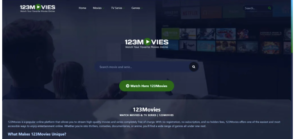
What Happened to the Original 123Movies?
123Movies was one of the most visited pirated streaming hubs in the world before facing legal pressure that pushed the original operators offline. Since then, the name has become a kind of open template — anyone can spin up a site, slap “123Movies” on it, and rank for the traffic the brand still generates. That means:
- There’s no single official domain to trust
- Ownership and hosting can change overnight
- Ad networks powering these sites often have little to no vetting standards
This is the core reason security researchers keep circling back to the same warning: the risk isn’t necessarily the video itself — it’s everything wrapped around it.
How Clone Sites Actually Put Your Device at Risk
Unlike a licensed streaming platform, clone sites typically don’t make money from subscriptions. They make money from ad impressions, redirects, and — in the worst cases — from tricking you into installing something. Here’s what that looks like in practice.
1. Fake Play Buttons and Redirect Chains
Many clone sites layer multiple “play” buttons on top of each other. The one that actually starts your video might be underneath two or three fake buttons designed to open new tabs, each one leading to an ad network, a survey, or a sketchier destination.
2. Fake “Allow Notifications” Prompts
This is one of the most common tricks on ad-heavy streaming clones. A prompt appears that looks like a CAPTCHA or a “click allow to continue” step required to watch the video. In reality, it’s a browser permission request. If you click Allow, the site can keep sending you push notifications — including fake virus warnings and scam ads — even after you’ve closed the tab.
3. Scareware Pop-Ups
“Your device is infected” pop-ups are designed purely to panic you into clicking a download link for fake antivirus software. Legitimate security software never alerts you through a browser pop-up on a movie site.
4. Disguised Downloads
Some pages prompt you to install a “special player,” “HD codec,” or an APK file to keep watching. These are common vehicles for malware, and this pattern is well-documented enough that the target about apps and add-ons tied to illegal streaming spreading malware onto users’ devices.
5. “Verify Your Age” or Card-Entry Scams
Some clones ask for card details to “verify” you’re not a bot before unlocking a stream. There is no legitimate reason a free streaming clone needs your card number — this is a data-harvesting tactic, not a real verification step.
The scale of this problem isn’t anecdotal, either — industry research has found illegal streaming sites carry a substantially higher malware exposure rate than legitimate platforms, and ad-based malware campaigns tied to pirated streaming pages have been traced to attacks affecting large numbers of devices.
Quick Red-Flag Checklist
Before you click anything on a free streaming site, run through this list:
| Signal | What it usually means |
|---|---|
| A prompt to “Allow” notifications to watch | Permission abuse, not a real requirement |
| “Your device is infected” pop-up | Scareware, ignore and close the tab |
| Asked to download a player/codec/APK | Common malware delivery method |
| Asked for card details for a “free” account | Data harvesting scam |
| Multiple play buttons stacked together | Ad-redirect trap |
| Domain looks slightly different than expected | Likely an unofficial clone |
I Already Clicked Something — Now What?
If you’re past the warning stage and want to know what to do next, your response should match what you actually did:
If you only visited the page: Close the tab. No further action is typically needed, though it’s worth checking your browser’s notification permissions afterward.
If you clicked “Allow” on a notification prompt: Go into your browser settings and revoke notification permissions for that site. Here’s how, directly from
If you downloaded a file but haven’t opened it: Delete it from your Downloads folder without running it.
If you opened or ran a suspicious file: Run a full scan with a reputable, up-to-date security tool, check your browser extensions for anything unfamiliar, and review your startup programs for new entries you don’t recognize.
If you entered payment or personal information: Contact your card issuer, watch your statements closely, and consider changing reused passwords — especially if that same password protects other accounts.
Safer Ways to Watch Without the Risk
The most reliable way to sidestep this entire category of risk is to use licensed platforms. Many offer free, ad-supported tiers that don’t require the workaround-heavy experience of a piracy clone:
- Ad-supported free platforms: Tubi, Pluto TV, and The Roku Channel offer legally licensed movies and shows at no cost.
- Library-based streaming: Kanopy and Hoopla let you stream films free with a public library card.
- Paid subscriptions: Standard services like Netflix, Max, or Prime Video remove the ad-injection risk entirely.
If cost is the main barrier, rotating a single subscription month-to-month, or checking a title against a free ad-supported library first, is a safer trade-off than gambling on an unknown clone domain.
Frequently Asked Questions
Is 123Movies illegal? Streaming or hosting copyrighted content without a license is against copyright law in most countries. Using such sites can also carry regional legal risk for viewers, separate from the malware risk covered here.
Is there an official 123Movies website? No single verified official domain currently exists. Search results are dominated by unaffiliated clones, which is precisely why the safety risk varies so much from one link to the next.
Are all free streaming sites dangerous? No — licensed, ad-supported platforms like Tubi and Pluto TV are legitimate. The risk described in this article is specific to unlicensed piracy clones, not free streaming in general.
What’s the single biggest thing I can do to stay safe? Never click “Allow” on a notification prompt from a streaming site and never download a “player” or “codec” file to watch a movie.