
REOLINK Home Hub Pro Review
The REOLINK Home Hub Pro is built for people who have gone past the basic two-camera home security setup and now need one place to manage several security cameras, recordings and alerts. It comes with local storage, Wi-Fi 6, support for PoE and Wi-Fi cameras, HDMI and USB connectivity, plus the ability to expand its internal storage.
The headline features sound impressive. REOLINK advertises support for up to 24 cameras, a built-in 2TB hard drive, expandable storage and local recording without requiring a monthly cloud-storage subscription. You can check the manufacturer’s specifications directly on the official REOLINK Home Hub Pro page.
There is, however, an important detail buyers should not overlook. The “up to 24 cameras” claim depends on the specific Home Hub Pro hardware version and camera configuration. REOLINK’s current compatibility documentation lists different limits for different hardware versions.
That makes the REOLINK Home Hub Pro interesting, but it also means buyers should check compatibility before assuming they can simply connect 24 cameras and start recording.

REOLINK Home Hub Pro Product Specifications
The REOLINK Home Hub Pro is a fairly substantial piece of security hardware rather than a tiny plug-and-play camera accessory.
| Feature | REOLINK Home Hub Pro |
|---|---|
| Brand | REOLINK |
| Product type | Central security hub |
| Camera capacity | Up to 24 on supported hardware |
| PoE/plug-in Wi-Fi capacity | Up to 12 |
| Built-in storage | 2TB HDD |
| Expandable HDD storage | Up to 16TB |
| microSD support | Up to 512GB |
| Maximum supported resolution | Up to 16MP |
| Wi-Fi | Wi-Fi 6 |
| Wireless bands | 2.4GHz and 5GHz |
| Ethernet | 2 × RJ45 |
| HDMI | Yes |
| USB | Yes |
| Storage encryption | AES-128 |
| Siren | Up to 120dB |
| Supported platforms | Windows, Mac, iOS and Android |
| Warranty | 2 years |
REOLINK lists support for PoE cameras, plug-in Wi-Fi cameras and compatible battery-powered Wi-Fi cameras. Some battery cameras require firmware updates before they can work with the hub, while 4G cameras and certain other models are excluded. The REOLINK Home Hub compatibility guide provides the current supported-camera information.
For buyers comparing models, REOLINK also has a Home Hub versus Home Hub Pro comparison that explains some of the differences between the two hubs.
REOLINK Home Hub Pro Capacity and 24-Camera Claim
The camera capacity is probably the first thing most potential buyers will notice.
REOLINK markets the Home Hub Pro as supporting up to 24 cameras, but this needs to be read carefully. According to REOLINK’s compatibility table, specific Home Hub Pro hardware versions can support up to 24 cameras. In the supported configuration, up to 12 can be single-lens 8MP PoE or Wi-Fi plug-in cameras at default bitrates, while the remaining capacity applies to supported battery-powered cameras.
Another Home Hub Pro hardware version listed by REOLINK has a maximum of 12 cameras total.
This is one of those specifications where reading the small print actually matters.
If you are planning a 24-camera installation, do not simply look at the Amazon title and assume every combination of 24 REOLINK cameras is supported. Check the official REOLINK compatibility table for the exact Home Hub Pro hardware version and camera models.
REOLINK Home Hub Pro Storage Capacity
Storage is another major reason to consider the Pro model.
The reviewed configuration comes with a 2TB HDD. REOLINK says the internal hard drive can be expanded up to 16TB. There is also a microSD card slot supporting up to 512GB.
This gives the system considerably more room for continuous recordings than a basic camera using only a small memory card.
The advantage here is obvious. A user who wants continuous recording does not necessarily have to pay a recurring cloud-storage subscription simply to keep surveillance footage.
REOLINK promotes the Home Hub Pro as offering local recording without recurring storage fees. More information about its local-storage architecture is available through the REOLINK Home Hub support documentation.
REOLINK Home Hub Pro Local Storage and Privacy
Privacy is one of the stronger arguments for local storage.
The Home Hub Pro uses AES-128 encryption for stored video data. REOLINK also provides account and device-sharing controls through its Home Hub system.
However, local storage should not be confused with complete security.
Security cameras are connected devices, and any internet-connected surveillance system needs proper account security, firmware updates and network protection. The Federal Trade Commission’s guide to securing home security cameras recommends using strong passwords, keeping camera software updated and securing the network used by connected cameras.
So the AES-128 encryption claim is useful, but it should not be interpreted as meaning that the system is completely immune to unauthorized access.
The sensible approach is to combine the hub’s built-in protections with strong account credentials, updated firmware and carefully controlled sharing permissions.
REOLINK Home Hub Pro Safety Features
The Home Hub Pro includes several features designed around security management.
One is the built-in siren, which REOLINK rates at up to 120dB. The hub can provide audible alerts when supported security events trigger the alarm system.
The system also supports WPA, WPA2 and WPA3 wireless security protocols and operates across 2.4GHz and 5GHz Wi-Fi.
These features are useful, but the hub should not be treated as a replacement for basic physical security.
A camera can record an intruder. It cannot stop a door from being forced open.
Proper locks, lighting, gates, alarms and sensible camera positioning still matter.
REOLINK Home Hub Pro Security Claims
The REOLINK Home Hub Pro makes several claims that sound impressive at first glance.
The major ones include centralized control, local encrypted storage, support for up to 24 cameras on supported configurations, Wi-Fi 6, support for high-resolution cameras, expandable storage and subscription-free local recording.
These are documented features rather than claims appearing only in third-party listings. Buyers can cross-check them against the official REOLINK Home Hub Pro specifications.
The important part is separating the feature from the marketing language.
For example, “up to 24 cameras” does not mean every Home Hub Pro hardware version supports 24 cameras.
Likewise, “up to 16MP” does not mean every connected camera records at 16MP. The individual camera needs to support that resolution.
And Wi-Fi 6 does not guarantee perfect wireless coverage throughout a large property. The router, hub location, walls, interference and camera capabilities will still affect performance.
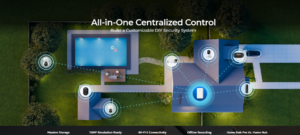
That is where buyers need to read the specifications rather than buying purely from the headline.
REOLINK Home Hub Pro Wi-Fi 6 Performance
The Home Hub Pro supports Wi-Fi 6 on both the 2.4GHz and 5GHz bands.
This can be useful because a multi-camera system can generate significant network traffic. Wi-Fi 6 is designed to improve wireless efficiency, particularly when several compatible devices are communicating on the same network.
However, manufacturer coverage estimates should not be treated as guaranteed performance in every building. Walls, construction materials, interference and placement can dramatically affect wireless coverage.
For larger properties, PoE cameras may still make sense because a wired connection can provide more predictable connectivity.
REOLINK’s support center for Home Hub and Home Hub Pro provides additional information about network configuration and supported features.
REOLINK Home Hub Pro HDMI and USB Connectivity
The Home Hub Pro has HDMI and USB ports, which give it more flexibility than the standard Home Hub.
The HDMI output can be used to connect the hub to a compatible display, while USB provides additional connectivity for supported functions.
REOLINK lists HDMI and USB among the differences between the Pro and standard Home Hub models. Its Home Hub comparison article is useful for buyers trying to decide whether the Pro features are necessary.
This makes the Pro model more suitable for someone who wants a dedicated monitoring setup instead of relying entirely on a smartphone.
REOLINK Home Hub Pro Customer Reviews
Customer feedback around the REOLINK Home Hub Pro is mixed, which is actually more useful than pretending every buyer had the same experience.
Available review data associated with the Amazon ASIN B0DB1XN58W shows positive comments about setup, centralized recording, image quality and reliability, alongside complaints involving playback, documentation, storage drives and compatibility.
Some customers like the fact that the hub allows them to keep recordings locally without paying for cloud storage.
Other users have reported frustrations with reviewing continuous footage and exporting recordings.
There are also customer reports involving the included HDD, including cases where users say they eventually replaced the drive. These are individual experiences and should not automatically be interpreted as evidence that every Home Hub Pro has a defective hard drive.
That distinction matters.
Customer reviews can reveal patterns worth investigating, but they are not controlled product tests.
Potential buyers should therefore combine customer feedback with REOLINK’s official specifications and compatibility information.
REOLINK Home Hub Pro Ease of Setup
The Home Hub Pro is designed to centralize camera setup rather than forcing users to manage every camera independently.
That can be particularly useful when adding several cameras to the same property.
However, buyers should expect some setup work.
The hub needs to be connected to the network, compatible cameras need to be added and some battery-powered cameras may need firmware updates before they can work with the hub.
REOLINK’s official Home Hub compatibility documentation is worth checking before buying additional cameras.
For a two-camera setup, this may not be a major concern. For a property with 10, 15 or more cameras, planning becomes much more important.
REOLINK Home Hub Pro Safety and Privacy Concerns
Security cameras naturally create privacy concerns because they record people, vehicles, homes and daily activities.
The Home Hub Pro’s local storage and encryption are useful, but users still need to decide where cameras should point and who should have access to recordings.
The FTC guidance on home security cameras recommends securing camera accounts with strong passwords, keeping software updated and reviewing who has access to camera feeds.
This is particularly important when cameras are installed indoors.
A security camera pointed at a gate is one thing. A camera pointed at a bedroom is a completely different privacy situation.
Users should also be careful when sharing recorded footage with other people or posting it online.
REOLINK Home Hub Pro Advantages
The biggest advantages of the REOLINK Home Hub Pro include
- Centralized management for a large REOLINK camera ecosystem
- Up to 24 cameras on supported hardware configurations
- Up to 12 PoE or plug-in Wi-Fi cameras in the supported 24-camera configuration
- Built-in 2TB HDD
- HDD expansion up to 16TB
- No mandatory monthly cloud-storage subscription
- AES-128 storage encryption
- Wi-Fi 6 support
- 2.4GHz and 5GHz wireless support
- HDMI output
- USB connectivity
- Support for high-resolution compatible cameras
- Built-in siren rated up to 120dB
- Android, iOS, Windows and Mac support
- Two-year limited warranty
The official REOLINK Home Hub Pro page provides the manufacturer’s current feature list.
REOLINK Home Hub Pro Disadvantages
There are also reasons not to rush into buying it.
The first is the camera-capacity situation.
The product is advertised as supporting up to 24 cameras, but REOLINK’s compatibility documentation makes clear that the maximum depends on the hardware version and camera combination.
The second issue is software.
Customer feedback includes both praise and complaints about the app, playback experience and footage management. This means the hardware specifications alone do not tell the entire story.
The third issue is storage reliability.
There are customer reports involving the included HDD. These reports are not enough to establish a product-wide defect, but they are worth knowing about if you intend to use the system for continuous recording.
The fourth issue is that this is probably overkill for someone who only needs two or three cameras.
A smaller REOLINK setup may provide enough capacity without paying for features and storage that may never be used.
REOLINK Home Hub Pro Who Should Buy It?
The REOLINK Home Hub Pro makes the most sense for people building a larger REOLINK surveillance system.
It may be relevant if you need
- Several cameras around a large home
- A security setup for a small business
- Centralized storage for multiple cameras
- 24/7 local recording
- PoE and Wi-Fi camera integration
- Expandable storage
- Local footage without recurring cloud fees
- HDMI monitoring
- A centralized alarm system
It is less compelling for someone who only wants one or two cameras for basic monitoring.
REOLINK Home Hub Pro Is It Worth the Hype?
The REOLINK Home Hub Pro does have legitimate strengths behind the marketing.
The 2TB HDD, expandable storage, encrypted local recording, Wi-Fi 6, HDMI, USB and centralized camera management are documented features. REOLINK also supports a large number of compatible cameras on the appropriate hardware configuration.
The problem is that the headline “24 cameras” specification can make the system look simpler than it actually is.
If you are planning a large setup, check the exact Home Hub Pro hardware version and every camera you intend to connect using REOLINK’s official compatibility guide.
Customer feedback also shows that the experience is not identical for everyone. Some users report smooth installation and reliable operation, while others have raised concerns about playback, USB transfers and storage.
So is it all hype?
No.
But it is also not a magical security box that solves every surveillance problem.
The REOLINK Home Hub Pro is a capable central hub for a growing REOLINK ecosystem. Its strongest selling point is the combination of centralized management and local storage without forcing users into a monthly cloud-storage subscription.
For a large multi-camera installation, those features can be genuinely useful.
For a small setup, the extra capacity may simply be unnecessary.
REOLINK Home Hub Pro Final Verdict
The REOLINK Home Hub Pro is a feature-heavy security hub aimed at users who need more than a basic camera setup.
Its 2TB HDD, expandable storage, local encrypted recording, Wi-Fi 6, HDMI and USB connectivity give it a substantial feature set. The ability to centralize multiple REOLINK cameras is also useful for anyone who does not want to manage a collection of independent camera systems.
The biggest thing I would check before buying is compatibility.
Do not buy it simply because the listing says “up to 24 cameras.” Confirm the exact hardware version and make sure the cameras you already own or plan to purchase are supported. The REOLINK Home Hub compatibility page is the best place to start.
The customer feedback is also worth reading before making the final decision. Reviews include positive experiences with installation, centralized recording and reliability, while some users report problems involving playback, documentation, USB transfers or the included hard drive.
Overall, the REOLINK Home Hub Pro looks more like a serious local-storage surveillance hub than a gimmicky camera accessory. Whether it makes financial sense depends heavily on how many cameras you actually need and whether you value local storage over a simpler individual-camera setup.
Frequently Asked Questions About REOLINK Home Hub Pro
Is the REOLINK Home Hub Pro really able to support 24 cameras?
Yes, but not every Home Hub Pro hardware version has the same capacity. REOLINK currently lists a 24-camera configuration for specific hardware versions, with up to 12 PoE or plug-in Wi-Fi cameras. Other Home Hub Pro hardware versions have lower limits. Check the official REOLINK compatibility documentation before purchasing cameras.
Does the REOLINK Home Hub Pro require a monthly subscription?
No. The system is designed around local storage and does not require a recurring cloud-storage subscription simply to retain recordings.
How much storage does the REOLINK Home Hub Pro have?
The reviewed configuration includes a 2TB HDD. REOLINK says the internal HDD can be expanded up to 16TB. The hub also includes a microSD card slot supporting up to 512GB.
Does the REOLINK Home Hub Pro support PoE cameras?
Yes. Compatible PoE cameras can be connected alongside supported Wi-Fi and battery-powered REOLINK cameras. The exact supported combination is listed in the REOLINK Home Hub compatibility guide.
Does the REOLINK Home Hub Pro support 4G cameras?
REOLINK’s current compatibility information excludes 4G cameras from the Home Hub series.
Is the REOLINK Home Hub Pro secure?
It includes AES-128 encryption for stored footage and supports WPA, WPA2 and WPA3 wireless security. Users should still follow basic security practices such as using strong passwords, updating firmware and securing their network. The FTC home security camera guide provides additional security recommendations.
Does the REOLINK Home Hub Pro have a siren?
Yes. REOLINK lists a built-in speaker with a maximum siren output of up to 120dB.
Can the REOLINK Home Hub Pro connect to a TV?
Yes. The Pro model includes HDMI connectivity for connection to a compatible display.
Is the REOLINK Home Hub Pro good for 24/7 recording?
The system is designed for local recording and supports continuous recording with compatible cameras. Actual recording duration depends on the number of cameras, resolution, bitrate, recording mode and available storage.
What is the biggest problem with the REOLINK Home Hub Pro?
There is no single confirmed product-wide problem. Customer feedback includes complaints about playback controls, footage transfers, documentation and some reported HDD issues. These should be treated as individual customer experiences rather than proof that every unit has the same problem.
Related Scam Alerts and Review
- Amazon Basics Hybrid Active Noise Cancelling Headphones Review 2026
- REOLINK Video Doorbell WiFi 2K Wired Camera Review 2026